

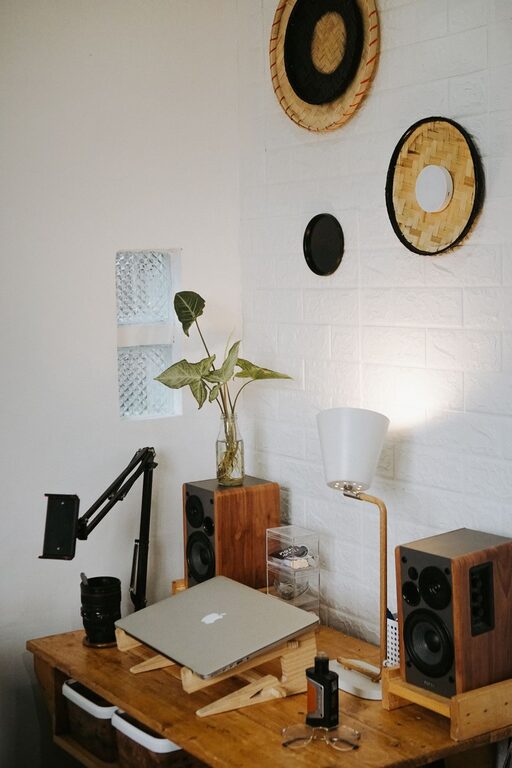
Creating a cozy and functional home office space is essential for anyone working from home or spending significant time on personal projects. A well-designed home office not only enhances productivity but also makes your work environment enjoyable and comfortable. Whether you have a dedicated room or a small corner, these tips will help you transform your workspace into a place that inspires and supports your daily tasks.
1. Choose the Right Location
Consider Natural Light
Try to set up your office near a window. Natural light can improve your mood and reduce eye strain. If natural light is limited, invest in good quality task lighting, such as adjustable desk lamps or LED lights that mimic daylight.
Minimize Distractions
Select a quiet area away from high-traffic zones or noisy appliances. The fewer distractions, the easier it will be to concentrate.
2. Invest in Comfortable and Supportive Furniture
Ergonomic Chair
A supportive office chair that encourages good posture is worth the investment. Comfort is key for long hours spent sitting.
Desk Size and Height
Choose a desk that fits your work essentials while allowing comfortable arm placement. Adjustable desks are also great for alternating between sitting and standing.
3. Organize Efficiently
Declutter Regularly
Keep only necessary items on your desk and organize other supplies in drawers or storage boxes. Clutter-free spaces help maintain focus and reduce stress.
Use Storage Solutions
Shelves, filing cabinets, and drawer dividers help keep your workspace tidy and everything within reach.
4. Personalize Your Space
Adding personal touches can make your office feel inviting and uniquely yours.
Decorate with Plants
Indoor plants can freshen the air, add color, and create a calming atmosphere.
Add Art and Photos
Incorporate artwork or photos that motivate and inspire you.
Use Soothing Colors
Choose wall colors or accessories in soft, calming shades to create a warm and welcoming environment.
5. Manage Cables and Technology
Keep Cords Organized
Use cable clips, sleeves, or boxes to keep wires untangled and out of sight.
Upgrade Tech Gear
Reliable technology, such as a fast computer, quality headset, and printer, can make work smoother and less frustrating.
6. Create Zones for Different Tasks
If space allows, design different areas for specific activities.
Work Zone
Focus on your computer, paperwork, and meetings here.
Reading or Planning Zone
A comfy chair or small table can be set aside for reading, brainstorming, or relaxation.
7. Consider Acoustics
Good sound quality can enhance virtual meetings and concentration.
Use Rugs and Curtains
These help absorb noise and soften the environment.
Noise-Canceling Headphones
Useful if you are in a noisy household or open-plan area.
8. Set Up for Healthy Habits
Keep Water Nearby
Staying hydrated helps maintain energy levels.
Take Breaks
Arrange your space so it’s easy to step away for stretching or a short walk.
9. Optimize Lighting for Comfort and Focus
Layer Your Lighting
Combine overhead lighting with desk lamps and mood lighting to reduce eye strain.
Avoid Glare
Position screens and lights to minimize glare.
—
Final Thoughts
Designing a home office that is both cozy and functional doesn’t have to be complicated. By selecting the right spot, investing in comfortable furniture, staying organized, and adding personal touches, you can create a workspace where you enjoy spending time and work productively. Remember, your workspace should reflect your needs and preferences—feel free to adjust and update it as you discover what works best for you.