

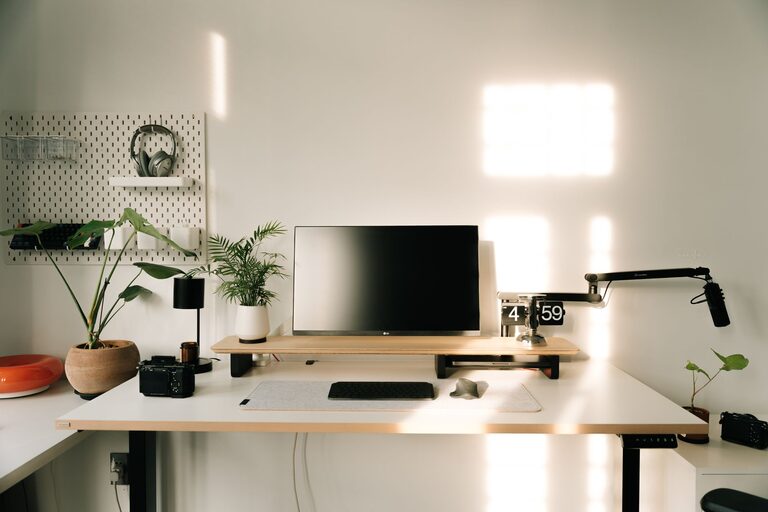
Creating an organized home workspace is essential for staying focused and productive, especially when balancing work and home life under one roof. A cluttered or disorganized environment can lead to distractions, stress, and reduced efficiency. Fortunately, you don’t need an expensive makeover to set up a workspace that works for you. With simple tips and thoughtful planning, you can craft a space that inspires productivity and keeps your day flowing smoothly.
Why Organize Your Home Workspace?
Before diving into tips, it’s important to understand the benefits of an organized workspace. When your desk and surroundings are tidy, you can:
– Find what you need quickly
– Maintain better concentration
– Reduce stress from clutter
– Enhance motivation to work
– Create a clear boundary between work and relaxation
With these benefits in mind, here are practical strategies to organize your home workspace.
Choose the Right Spot
Consider Natural Light
Position your workspace near a window if possible. Natural light can improve mood and reduce eye strain. Avoid placing your screen directly in front of bright light to reduce glare.
Assess Noise Levels
Select a quiet corner of your home where distractions are minimal. If noise is unavoidable, noise-canceling headphones or white noise machines can help maintain focus.
Define Your Work Zone
If space allows, dedicate a specific area for work to mentally separate it from other activities. This can be a separate desk, a nook, or a corner with a small table.
Declutter and Simplify
Clear the Surface
A clutter-free desk helps clear your mind. Remove unnecessary items and keep only essentials like your computer, notebook, pen, and perhaps a small plant.
Use Storage Solutions
– Drawers and organizers: Use drawer dividers or small containers to store stationery and cables neatly.
– Shelving: Install shelves above your desk to keep books or reference materials off your work surface.
– File folders: Keep documents organized with labeled folders or filing boxes.
Digital Declutter
Don’t forget your digital space. Organize files and emails into folders to avoid screen clutter that can also distract you.
Optimize Your Desk Setup
Ergonomics Matter
Arrange your chair and desk to support good posture. Your feet should rest flat on the floor, elbows close to your body, and screen at eye level.
Invest in Quality Equipment
Comfortable equipment can make a big difference. Consider an ergonomic chair, an adjustable monitor stand, or a keyboard and mouse that suit your needs.
Personalize Thoughtfully
Add a few personal touches like photos or artwork, but avoid overdecorating. A balance between functionality and personality can make your workspace inviting.
Implement Productivity Tools
Task Lists and Timers
Keep a to-do list visible to track tasks. Use timers or techniques like the Pomodoro method to break work into focused intervals with short breaks.
Calendar and Reminders
Use a calendar app or physical planner to schedule your day. Set reminders for breaks, meetings, and deadlines.
Maintain Your Workspace Daily
End-of-Day Routine
Spend a few minutes tidying your workspace before finishing work. This habit prepares you for the next day and helps maintain an organized environment.
Regular Deep Cleaning
Schedule weekly or biweekly sessions to clean dust, organize supplies, and review what you no longer need.
Manage Cables and Electronics
Cable Organizers
Use clips, sleeves, or ties to bundle cables and prevent tangling. Label chargers and cords where possible.
Power Stations
Arrange power strips and chargers in a dedicated spot to keep devices charged without creating mess.
Use Lighting Wisely
Layered Lighting
In addition to natural light, use task lamps and ambient lighting to reduce eye strain and create a comfortable atmosphere.
Avoid Harsh Lighting
Choose bulbs with warm tones or adjustable brightness to minimize glare and fatigue.
Encourage Movement
Adjustable Workspace
If possible, use a sit-stand desk or take short standing breaks to stay active and maintain energy.
Stretching Reminders
Set reminders to stretch or move every hour, helping circulation and reducing tension.
Final Thoughts
Organizing your home workspace is a simple yet impactful way to improve your productivity and well-being. Start with small changes and adjust as you learn what works best for you. Remember, your workspace should support your unique work style and needs. With a tidy, personalized, and comfortable environment, you’ll be set up to work efficiently and enjoy your time at home.